
FOR AMBITIOUS WOMEN CARRYING THE WEIGHT OF UNSEEN LIFE ADMIN
Close the Open Loops.
Free Your Brain.
The Mental Load Manager gives you one trusted place for every task, idea, life admin item, and stray reminder living in your head — so you can stop overthinking and start operating with mental clarity.
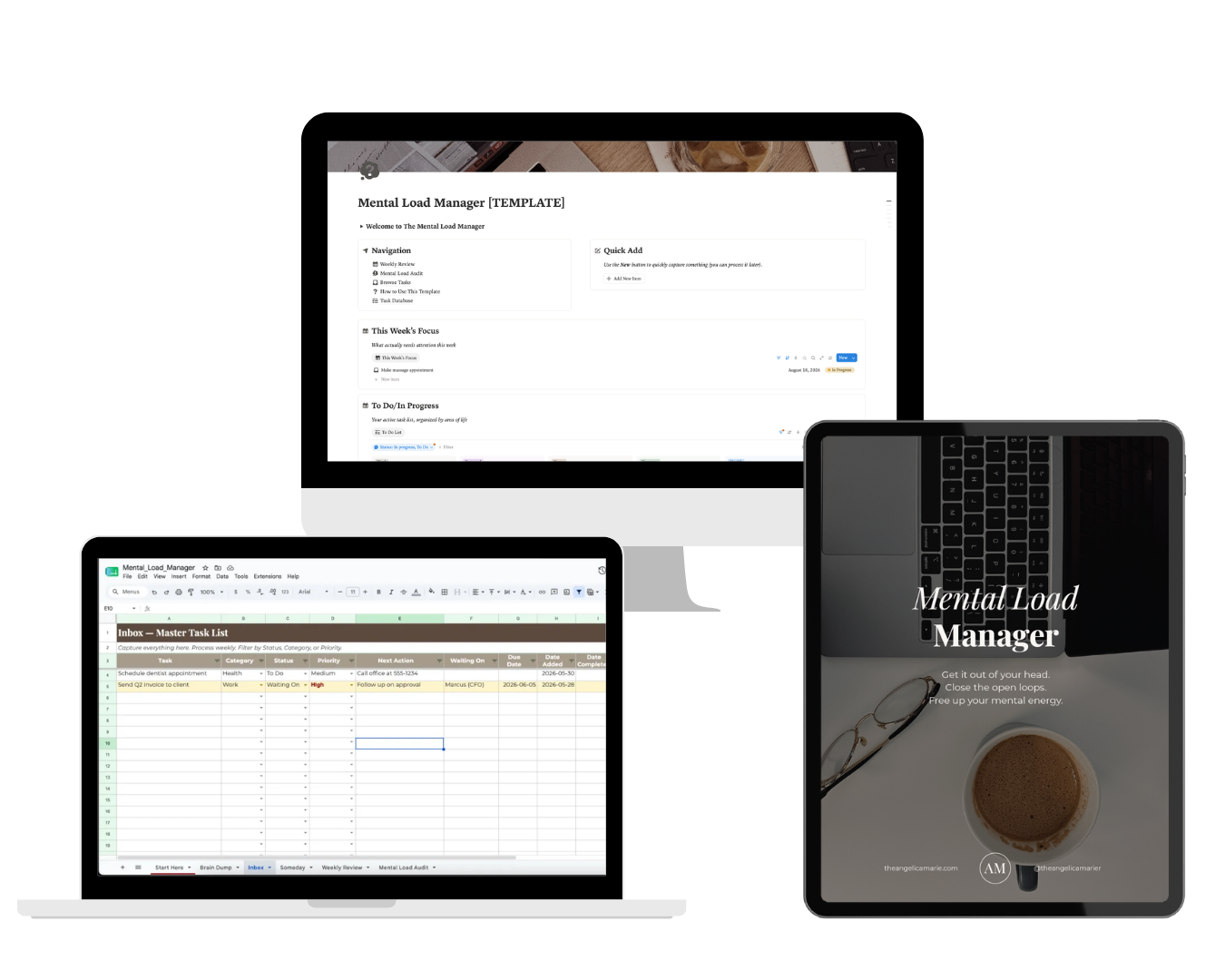
Your ultimate central capture system — available in Notion, Google Sheets, or PDF.
The Mental Load Manager
Multi-Format Access (Notion Dashboard, Google Sheets & Printable PDF)
Quick-Capture Brain Dump System to clear mental clutter instantly
Life Admin Categorizer (Household, Personal, Work, & Family)
Guided 20-Minute Weekly Reset Ritual & Open Loop Closer
One-time payment, lifetime access — including updates!
What is The Mental Load Manager?
It’s a simple, universal system built to capture and organize the invisible labor running in the background of your mind.
Most mental exhaustion isn't caused by physical work — it's caused by keeping dozens of open loops floating in your head.
The Mental Load Manager gives you a friction-free inbox to dump stray thoughts in seconds, categorize life admin, and review them in a calm 20-minute weekly ritual.
One-time payment, lifetime access — including updates!
What others are saying
One-time payment, lifetime access — including updates!
Curious about what you're getting?
Here's just a mere fraction of everything you'll get inside The Mental Load Manager...
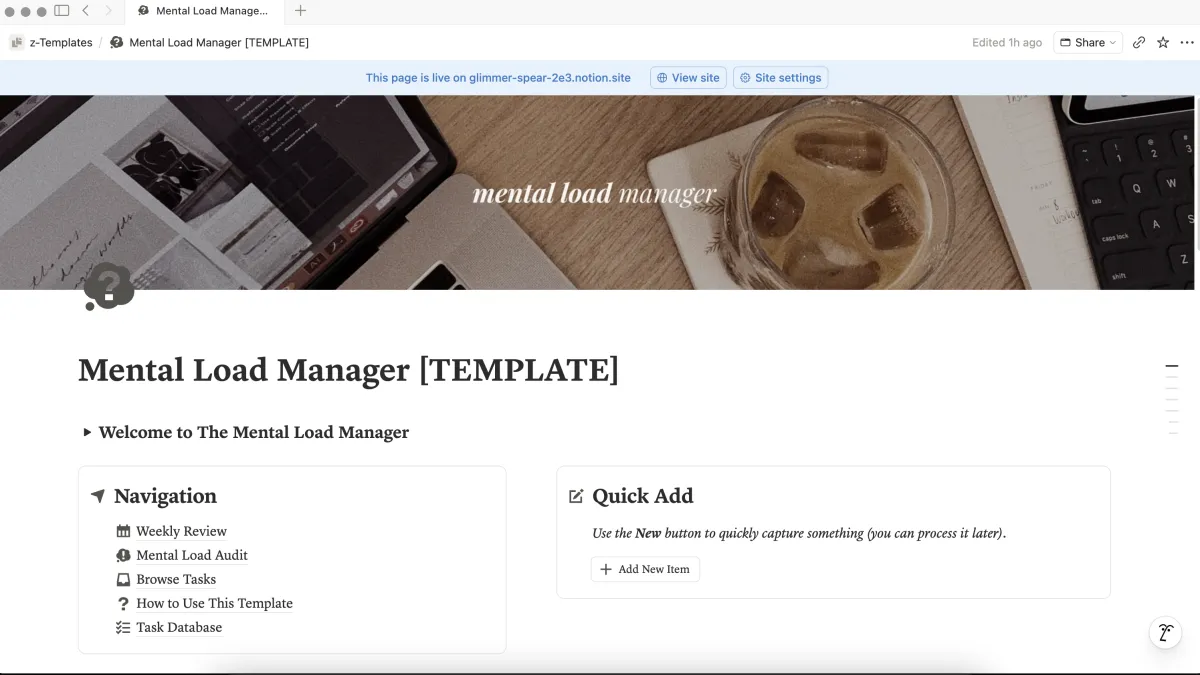
Rapid Brain Dump Inbox
Frictionless Capture
A dedicated space to instantly capture random thoughts, to-dos, and errands before you forget them or get distracted.
INCLUDED
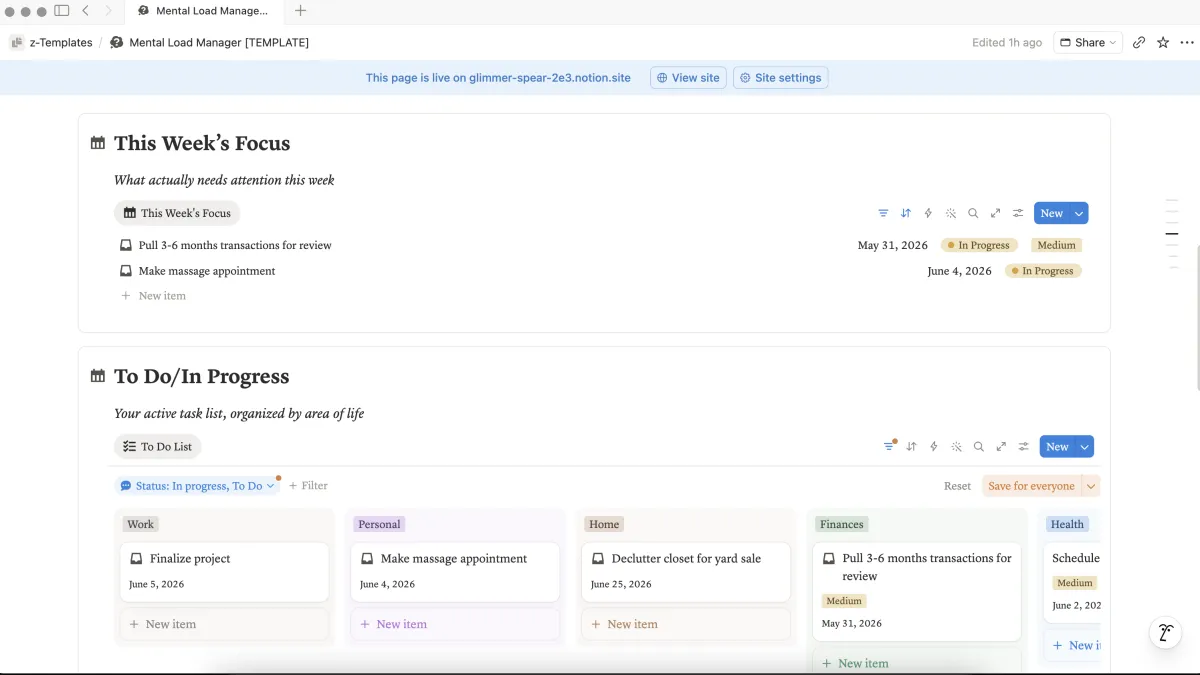
Life Admin Categorizer
Smart Organization
Effortlessly categorize items into Household, Work, Personal, and Family so your central inbox never feels messy.
INCLUDED
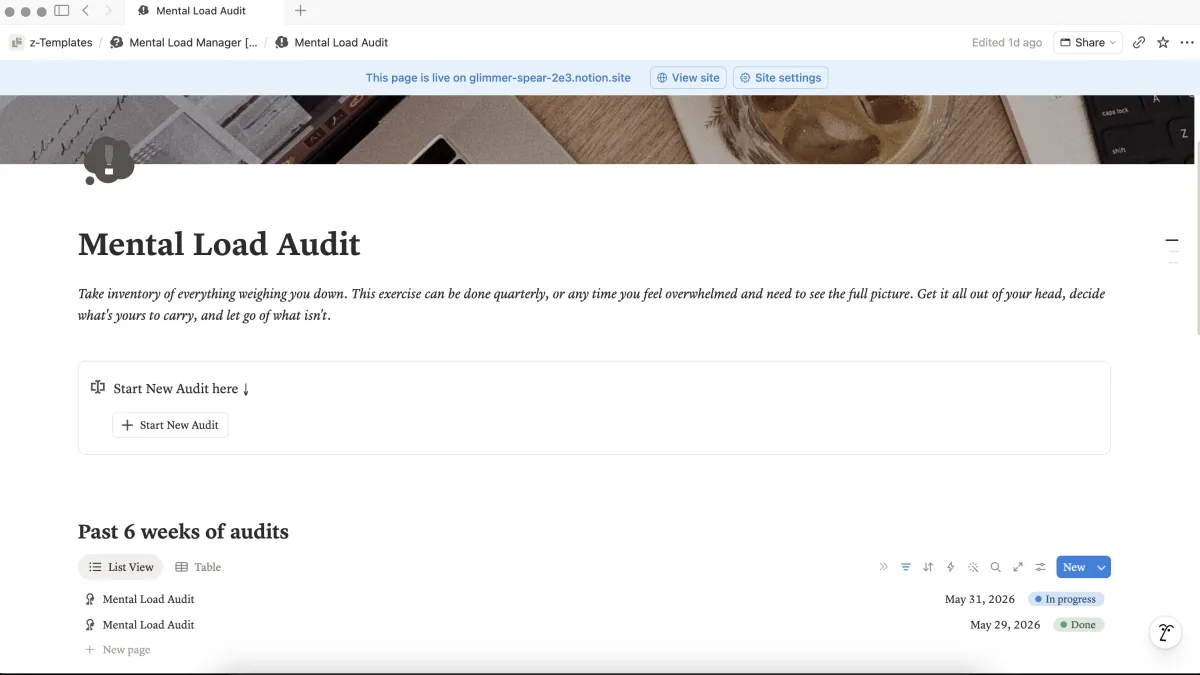
Open Loop Closer
Eliminate Mental Exhaustion
Simple workflows to assign clear action steps, delegate tasks, or file away references so your mind can rest.
INCLUDED
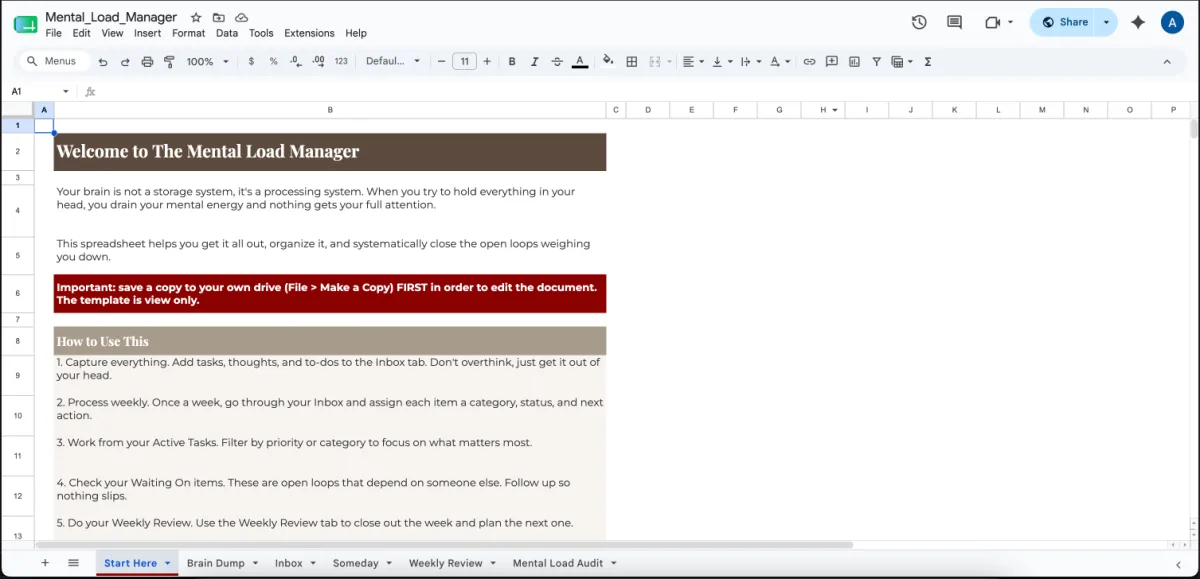
Multi-Platform System
Choose Your Preferred Workflow
Use it inside Notion, track it on Google Sheets, or print out physical sheets. Choose the format that fits your life.
INCLUDED
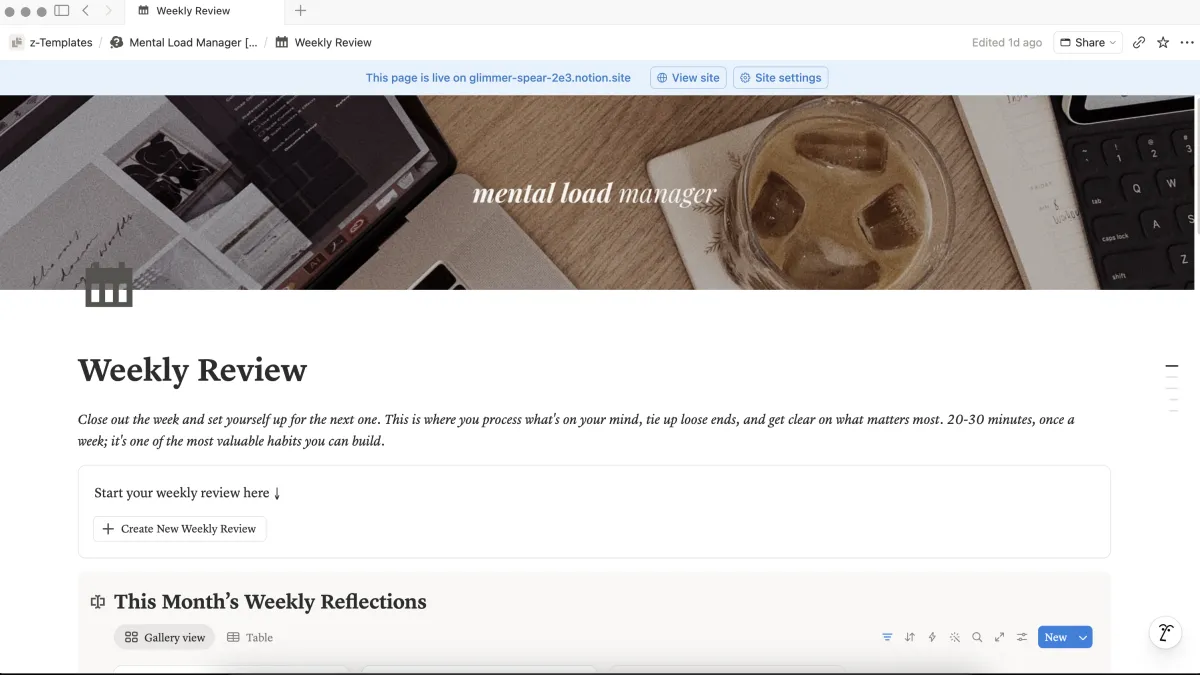
20-Minute Weekly Reset Ritual
Weekly Reset Playbook
A guided routine to process your brain dumps, clear open loops, and step into every week with complete focus.
INCLUDED
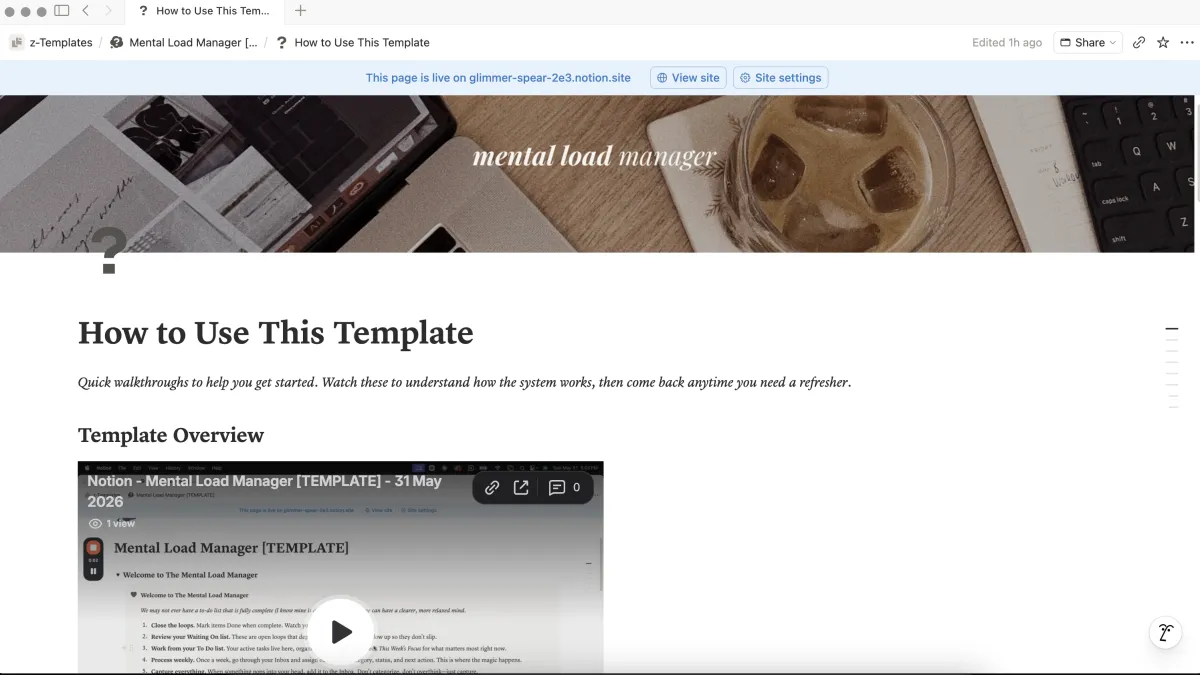
Video Walkthrough + Tutorials
Instant Setup
Simple step-by-step guidance showing you how to capture, organize, and maintain your system effortlessly.
INCLUDED
One-time payment, lifetime access — including updates!
Finally, say goodbye to decision fatigue, middle-of-the-night reminders, and mental burnout...
Tired of carrying dozens of unorganized tasks, house errands, and personal reminders in your head all day?
Have you ever felt like exhausted at 3 PM even when you haven't done heavy work, simply from severe decision fatigue?
And not having one central, trusted place to capture stray thoughts, leaving your brain constantly hyper-vigilant?
If this sounds like you, don't worry!
I created The Mental Load Manager to help you fix all that for just $7!
One-time payment, lifetime access — including updates!
Stop storing thoughts in your head. Start running a system that holds them for you.
A behind-the-scenes look at how closing open loops restores your daily focus and energy.
The Hidden Cost of Invisible Labor.
Your brain was built to create ideas and solve problems — not to act as a storage locker for groceries, doctor appointments, and life admin.
Storing items mentally creates constant low-grade anxiety and drains your energy before you even sit down to focus.


One Central Capture Hub.
When inspiration hits or a stray task pops up, you don't need five different notebook pages or scattered sticky notes.
You need one reliable inbox where you can dump the thought in 5 seconds flat and move on with your day.
Designed for Every Workflow (Notion, Sheets & Printable).
Whether you thrive on a digital Notion dashboard, prefer a clean Google Sheet, or like holding a printed paper worksheet, this manager gives you all three formats instantly.

One-time payment, lifetime access — including updates!
Here's a quick summary of everything you're getting for just $7 today
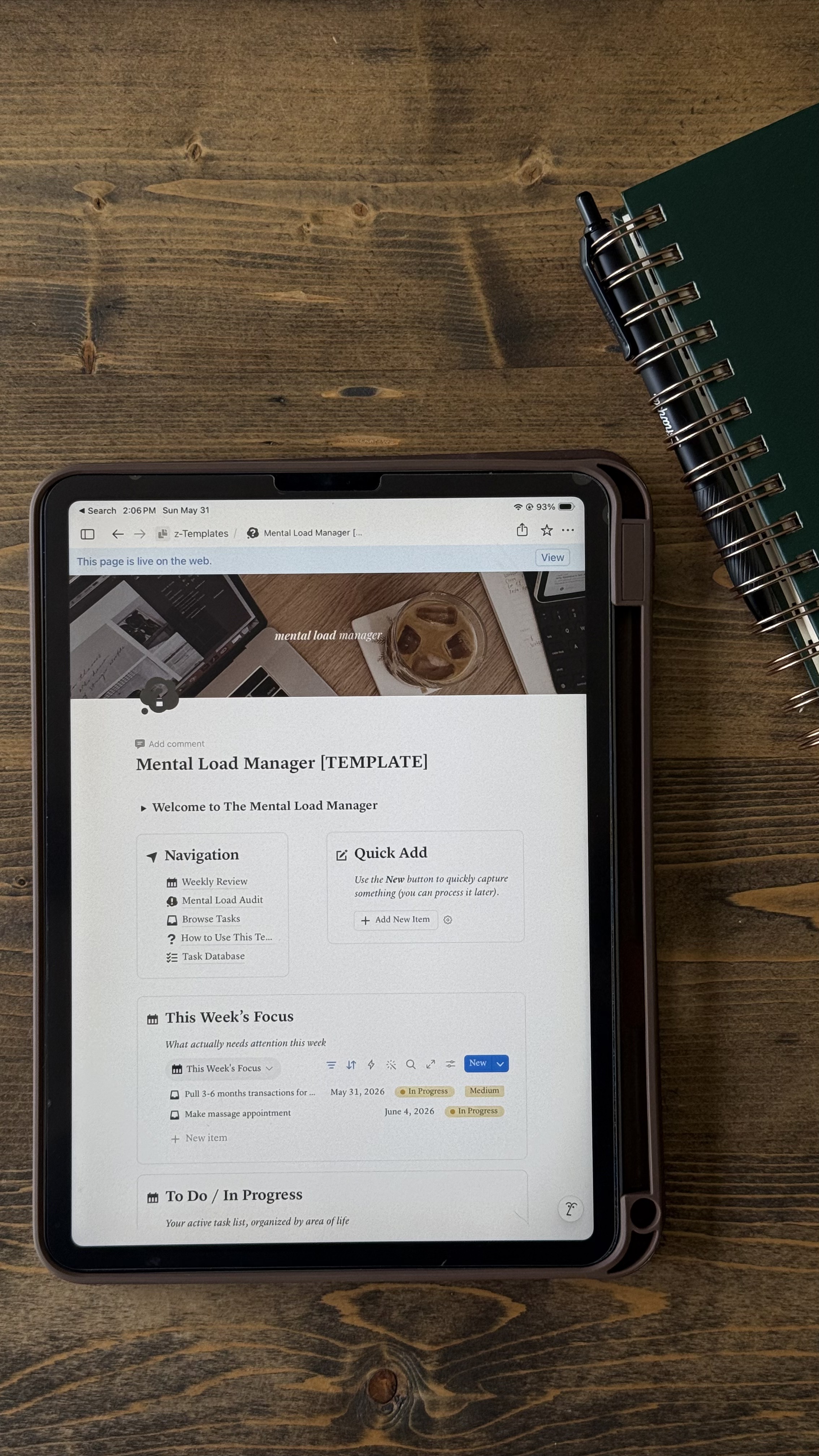
The Mental Load Manager
Multi-Format Access (Notion Dashboard, Google Sheets & Printable PDF)
Quick-Capture Brain Dump System to clear mental clutter instantly
Life Admin Categorizer (Household, Personal, Work, & Family)
Guided 20-Minute Weekly Reset Ritual & Open Loop Closer
One-time payment, lifetime access — including updates!
Plus # bonuses worth $xx when you get [product name] TODAY, for free
FREE BONUS #1

Bonus
Detail (ex: Script)
This is a Paragraph Font
INCLUDED FOR FREE
FREE BONUS #1
Bonus
Detail (ex: Script)
This is a Paragraph Font
INCLUDED FOR FREE
FREE BONUS #1
Bonus
Detail (ex: Script)
This is a Paragraph Font
INCLUDED FOR FREE
One-time payment, lifetime access — including updates!
Why ### customers recommend us...
One-time payment, lifetime access — including updates!
Frequently asked questions
Do I need to know how to use Notion?
Nope. The template is ready to use, and tutorial videos walk you through everything step by step. You can also choose to use the Google Sheets or PDF version instead.
How is this different from a regular to-do list?
A to-do list just holds tasks. This system helps you process them — capture what's on your mind, identify the next action, track what you're waiting on and close the loop. It's designed to reduce mental load, not add to it.
How long will I have access?
Forever. It's a one-time purchase and the template is yours to keep. Plus, you'll get access to all future upgrades and updates!
What if I have more questions?
Send me a DM on Instagram @angelicamarier or email me at [email protected] — I'm happy to help.
One-time payment, lifetime access — including updates!
The Angelica Marie
Ambition without burnout.
Practical systems and wellness fueled productivity for ambitious women.
© 2026 The Angelica Marie, LLC. All rights reserved.
Made with a very good cup of coffee.